Autoscaling with Judoscale
Responsibility Disclaimer:
This page is an example; you are responsible for what you deploy and maintain. Expand to read more.
This page is provided for demonstration purposes only. It is not maintained as a supported Scalingo product, reference implementation or tutorial. Scalingo does not guarantee that it works continuously, remains compatible over time, or is suitable for production usage.
This demo may include external dependencies not maintained by Scalingo, customers remain responsible for:
- Validating the code and configuration they deploy against applicable security, compliance and operational requirements before any production use.
- Maintaining the applications and components they control during runtime, including monitoring releases, deploying new versions, monitoring application health and scaling as needed.
This notice does not modify or limit the applicable Agreement or Scalingo’s contractual commitments.
Horizontal scaling changes the number of containers that run a process type. Scalingo includes a built-in autoscaler that watches platform metrics such as requests per minute, response time, CPU, and memory.
If you need more autoscaling options or want to use metrics such as request queue time and background job queues, you can use Judoscale. Judoscale is a third-party autoscaler with its own account and billing. It is not part of the Scalingo product.
Before You Start
- You need an application already deployed on Scalingo.
- Sign up for a free Judoscale account.
- Judoscale authenticates to Scalingo with an API token. Tokens inherit the permissions of the account that created them. See the security best practices if you want to scope access through a dedicated account.
Judoscale collects queue-time metrics through an adapter package in your application. Official adapters exist for common web frameworks and job backends, including Rails, Django, Express, FastAPI, Sidekiq, Celery, and BullMQ. See the supported adapters.
If no adapter exists for your stack, you can still scale on a schedule without installing a package, or build a custom adapter.
Connecting Scalingo to Judoscale
-
Sign up for Judoscale, or sign in, and choose Scalingo as the hosting platform.
- Create an API token:
- Open the API Tokens page in your Scalingo account dashboard
- Create a token and give it a recognizable name, for example
Judoscale - Copy the token immediately. Scalingo displays it only once.
-
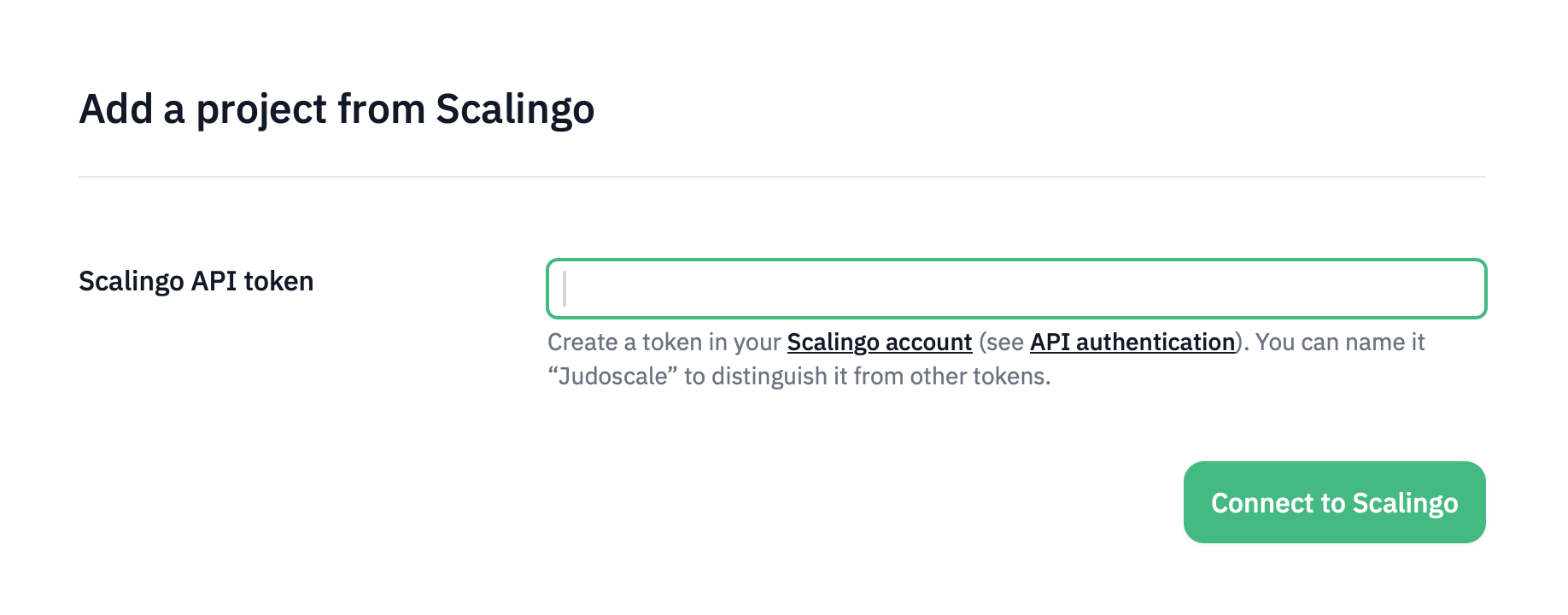
Paste the API token into Judoscale and confirm the connection.
Judoscale uses the token to list your projects and applications, and later to change the number of running containers. It does not scale anything until you enable autoscaling for a process type.
-
Select the project that contains the application you want to autoscale.
-
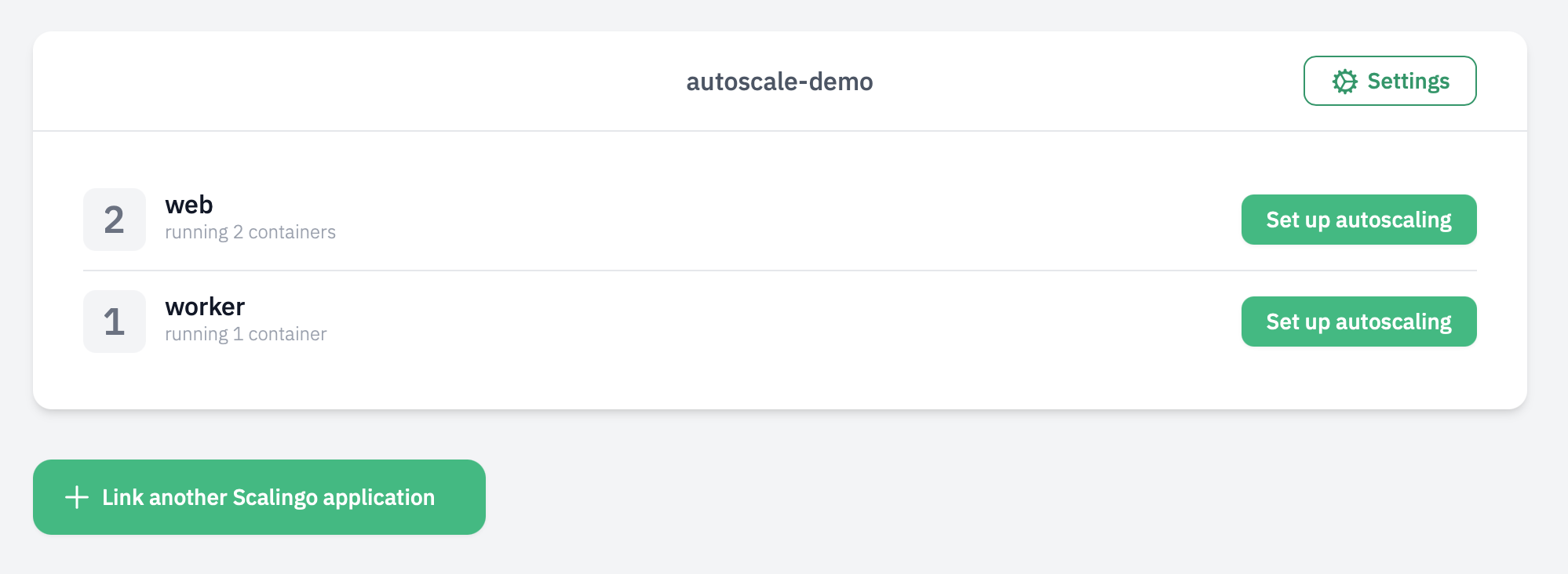
Select the application to link. Judoscale lists that application’s process types and opens the team dashboard. Autoscaling will not be enabled until you explicitly turn it on.
Installing the Adapter Package
- In the Judoscale team dashboard, click Set up on the process type you want to autoscale.
-
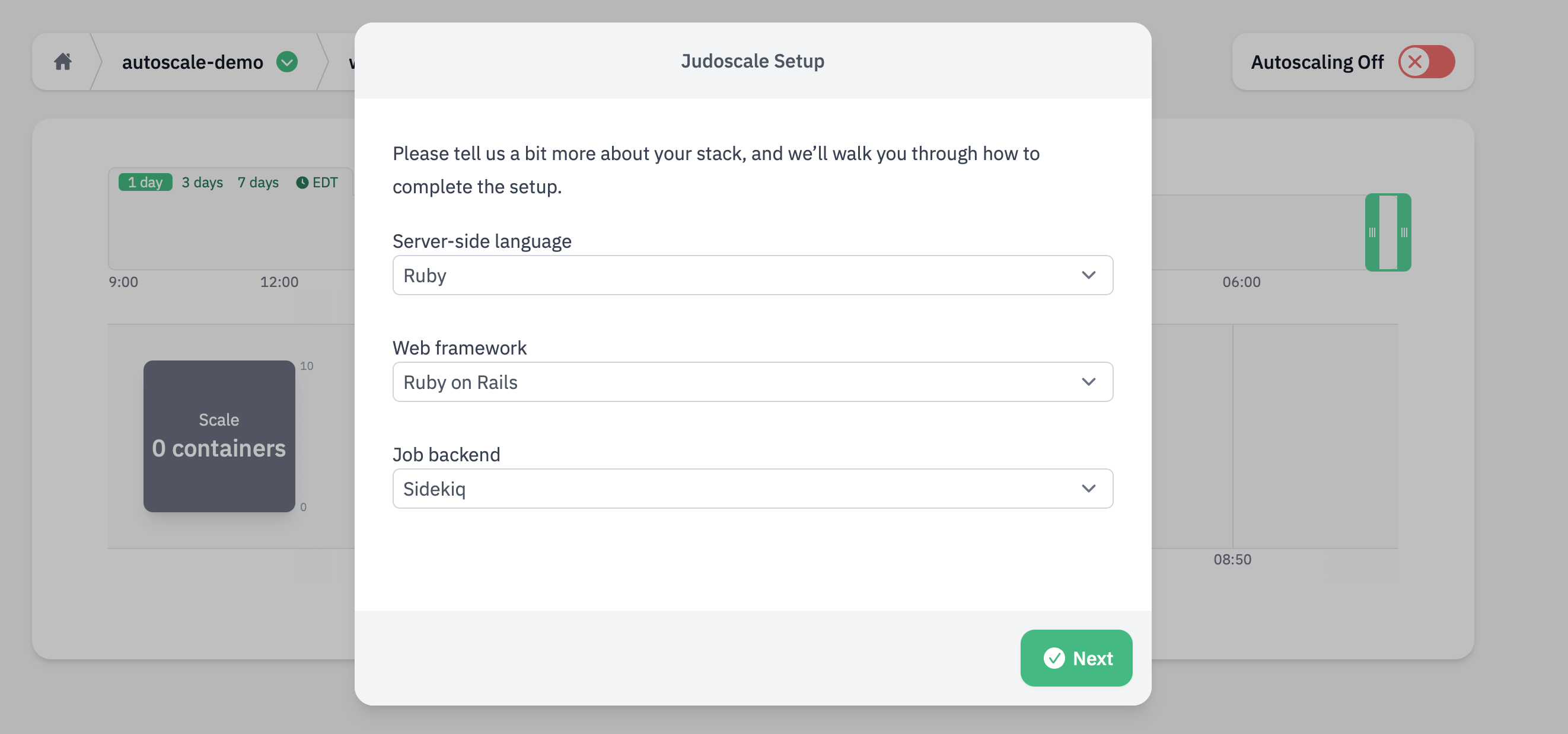
Follow the setup wizard: choose your language, framework, and job backend if you have one. The wizard shows the exact package to install.
For example, a Rails application that uses Sidekiq adds these gems:
gem "judoscale-rails"
gem "judoscale-sidekiq"
For other stacks, use the package names shown in the wizard. The adapter reports queue-related metrics for web and worker process types. It does not impact how your application handles requests or jobs.
-
Set the
JUDOSCALE_URLenvironment variable on the Scalingo application. The wizard provides the value. Add it from the Environment tab of your application dashboard, or with the CLI:scalingo --app my-app env-set JUDOSCALE_URL="https://adapter.judoscale.com/api/..."Treat
JUDOSCALE_URLlike an ingest key: do not commit it to git or share it publicly. See environment variables. -
Commit the adapter package and deploy the application:
git add .
git commit -m "Add Judoscale adapter"
git push scalingo main
Then confirm the setup in the Judoscale wizard. Deployment starts new containers with the updated environment.
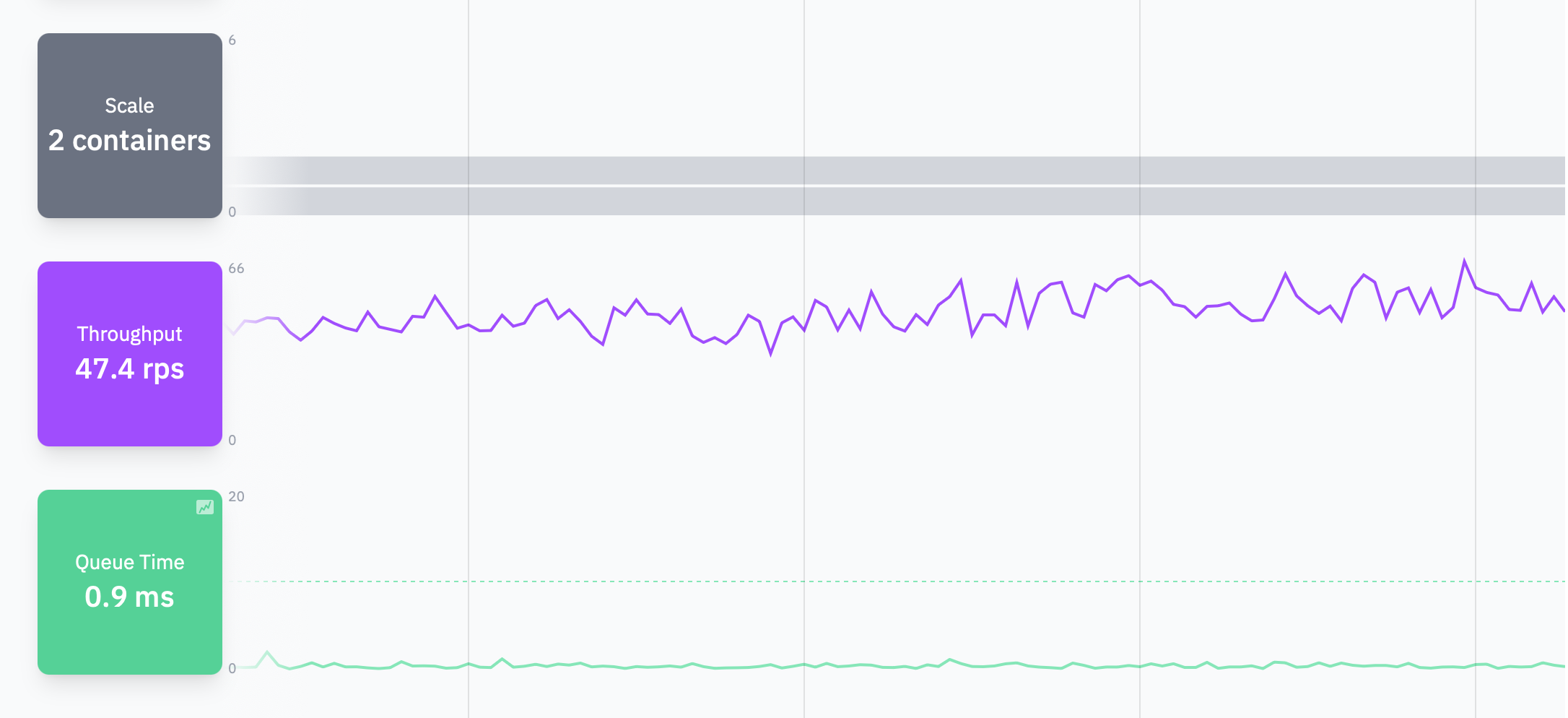
After a successful setup, Judoscale shows queue-time charts for that process type. Charts will appear empty if the web process has no traffic, or if the worker process has no jobs waiting.
Configuring and Enabling Autoscaling
-
If a Scalingo Autoscaler is enabled for this process type, disable it first.
-
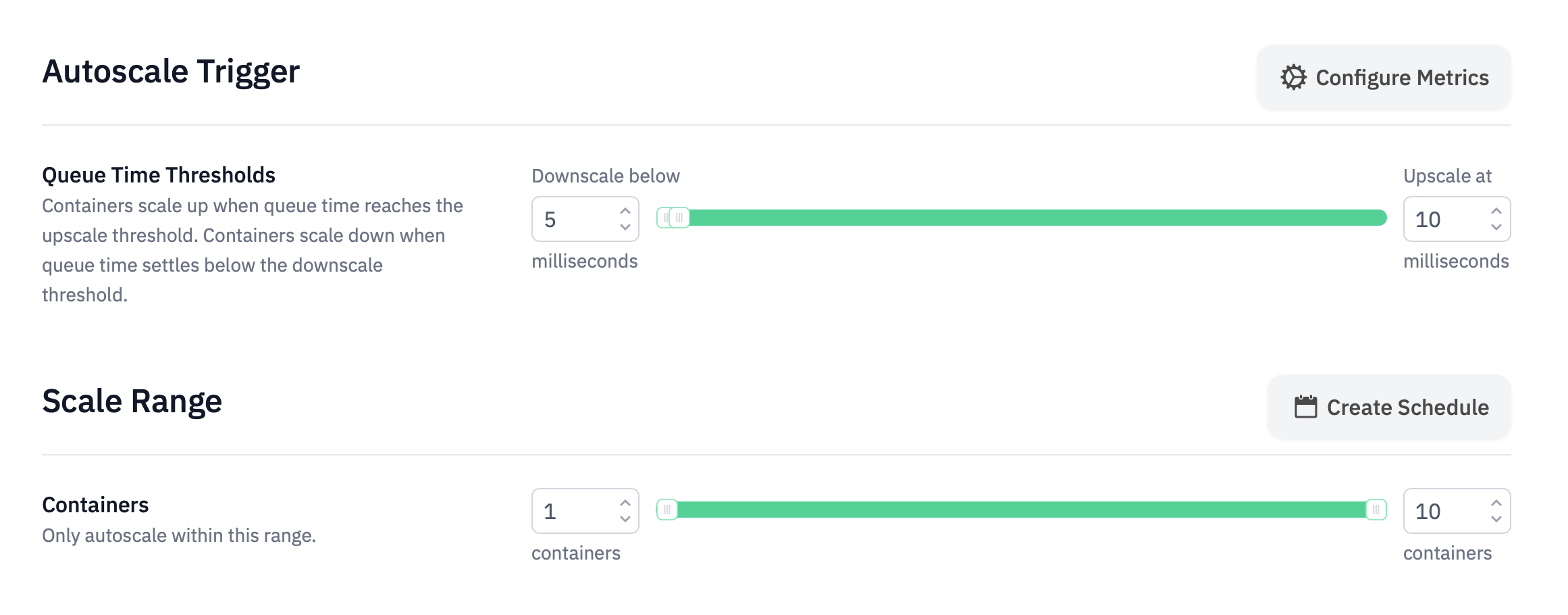
On the Judoscale Scaling page, set the minimum and maximum number of containers.
There is no required range. A common starting point is to keep the current number of containers as the minimum, so enabling autoscaling does not immediately downscale. The maximum is the cost ceiling: under sustained high queue time, Judoscale upscales until it reaches that limit.
-
Review the other defaults. They are a reasonable starting point for most applications. You can change them after you have seen the charts under real load.
- Save and enable autoscaling.
Repeat the adapter setup and enablement for each additional process type you
want to autoscale, such as a worker process.
Scaling Workers
Judoscale can autoscale worker process types on job queue time (also called
queue latency). After the adapter is installed and JUDOSCALE_URL is set,
open the worker process type in Judoscale and enable autoscaling the same way.
Differences Between Judoscale and Scalingo Autoscaler
Both autoscalers adjust the number of containers running for a process type, but they use different metrics and provide different configuration options.
The Scalingo Autoscaler is built into the platform and does not require an adapter or an account with another service. It can scale using requests per minute, response time, 5xx errors, CPU, RAM, or swap usage.
Judoscale uses request queue time for web process types and job queue time for worker process types, measuring how long requests or jobs wait before processing begins. Judoscale also provides controls for upscale sensitivity and jumps, downscale delays, and scheduled container ranges. Its charts display queue metrics and scaling activity, so you can see exactly how your autoscaler responds to application load.
The Scalingo Autoscaler offers a simpler, platform-native setup. Judoscale is an alternative when queue-based metrics, additional controls, or more detailed visibility are useful for your application. Use only one autoscaler for each process type.
Pricing
You can use Judoscale for free with up to 20 autoscales per month. That usually covers a trial or a staging app. For production, you will want a paid account.
Paid plans have unlimited autoscaling. Which plan you need depends on how many containers you want to scale. See Judoscale pricing for Scalingo.